
DOS:
1. Download Rufus from https://rufus.akeo.ie/ or click this link here : Rufus
2. Run rufus-2.14.exe and click yes to run program.
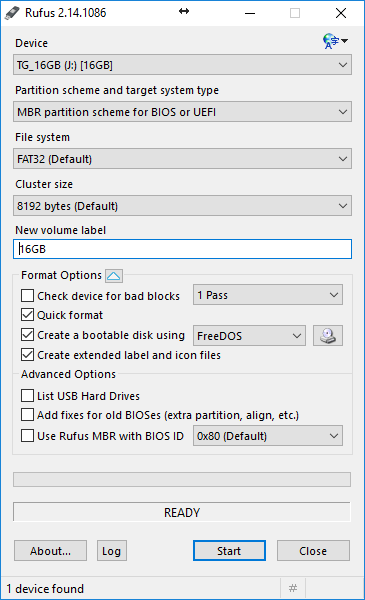
3. Now choose your USB stick (Device) and set the rest og the options as the picture.
4. Click start and the USB stick will be formated.
Now the USB stick is ready and will start up in a DOS prompt.
Comments
0 comments
Please sign in to leave a comment.